
Can emails be traced? Your guide to more privacy on the Internet

If you're not careful online, your emails can be tracked. You'll be amazed at how much data can be collected from a single email.
Here's how email tracking works, what details it reveals, and how you can protect your messages.
Can someone trace an email back to you?
Yes, an email can be traced back to you, but it depends on how the email was set up and which email provider you're using.
When you send an email, it's sent over the internet and passes through multiple servers before it lands in the recipient's inbox. Along the way, it collects digital traces stored in the email header, a block of technical data that most people never see.
These email headers can contain the following information:
- The sender's Internet Protocol (IP) address;
- The email service used;
- The device from which the message was sent;
- Time and date stamps.
For example, if your IP address is visible in the header, others can trace it back to your Internet Service Provider (ISP) or your approximate location.
However, most popular email services (like Gmail, Outlook, or Yahoo) hide your actual IP address and instead display the public IP address of one of their servers. This makes it much harder to trace the email directly back to you.
So no one can just read an email and conclude it's from P. Sherman at 42 Wallaby Way, Sydney. ISPs, advertising companies, or law enforcement agencies are more likely to trace the message using technical details such as a device, IP address, or general region — without necessarily revealing your full identity.
How does email tracking work?
Email tracing works by analyzing email headers that contain metadata about the email's journey from sender to recipient.
The email header has nothing to do with the subject line – these are two completely different things. Email headers are usually not visible, but they can be accessed in most email clients.
Professional trackers – such as advertising companies, law enforcement agencies, or cybercriminals – can also use more complex techniques, such as:
- Tracking Pixels: Also known as an email open tracker. These are tiny, invisible images that show the sender when and where an email is opened;
- Link Tracking: URLs with embedded identifiers can be used to log clicks or obtain IP-based location data;
- Custom scripts in HTML emails: While most clients block them, some emails try to include additional scripts to collect device or interaction data.
If you know where to look, it's pretty easy to extract email data. That's why you should pay attention to the protection of your email privacy.
What information can be found out through email traceability?
Tracking an email can provide a lot of information, depending on how the email was sent and whether any tracking elements were included.
The most important detail is often the sender's IP address. IP lookup tools can also be used to trace an extracted IP address back to a general geographic region or city.
If the email contains embedded trackers such as pixels or links, additional data may be collected, including device type, browser details, and operating system.
Email headers also contain service metadata, which indicates whether the message was sent through Gmail, Outlook, or another provider. This can provide further clues about the origin of the email and the tools used to send it.
How to find out where an email is coming from
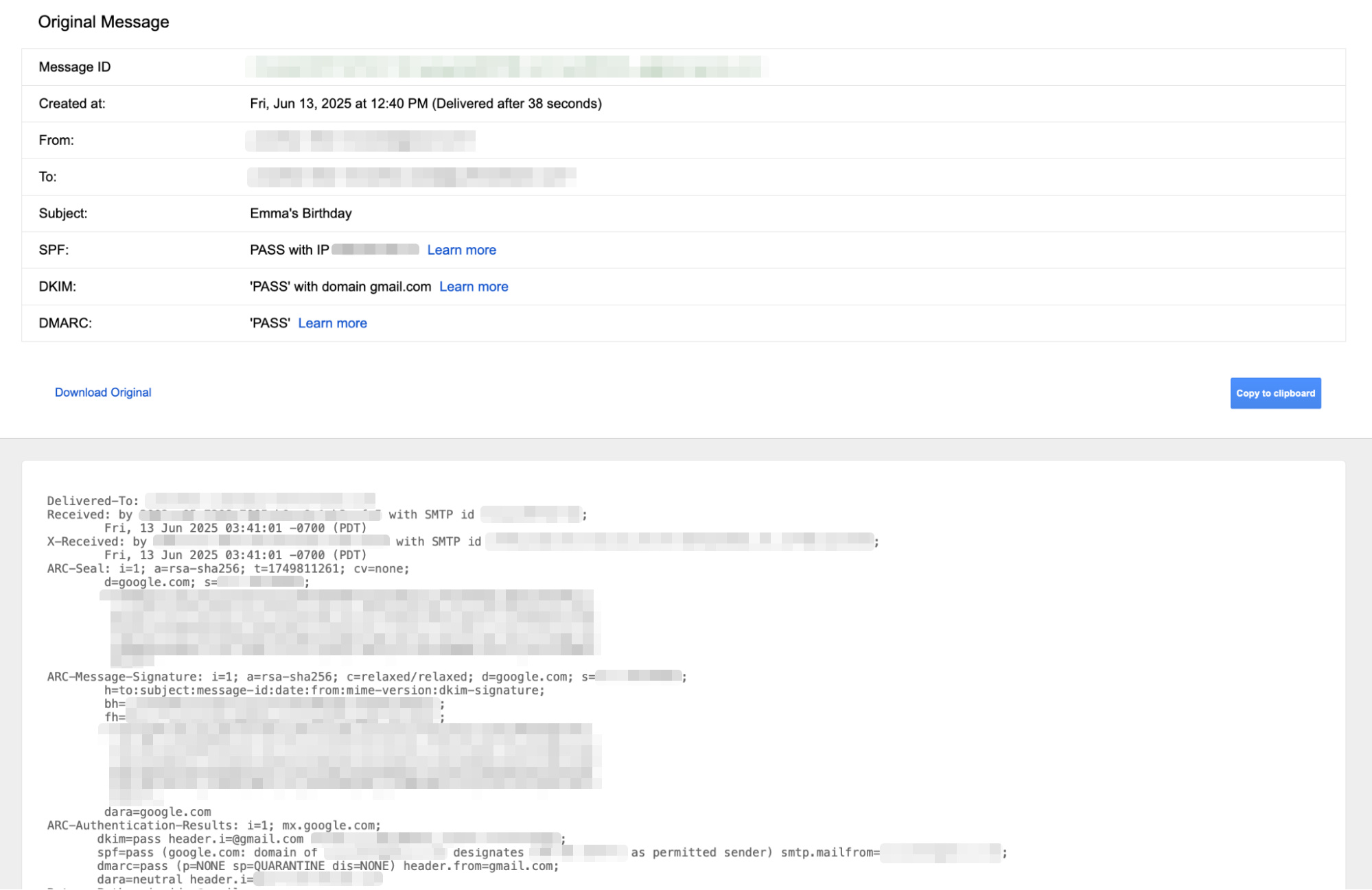
To find out where an email is coming from, you need to look at all the headers. Then you can follow a few more steps to see what you see.
This is how you can examine the complete headers
In Gmail
- Open the email you want to trace.
- Select the three vertical dots in the upper-right corner of the message.
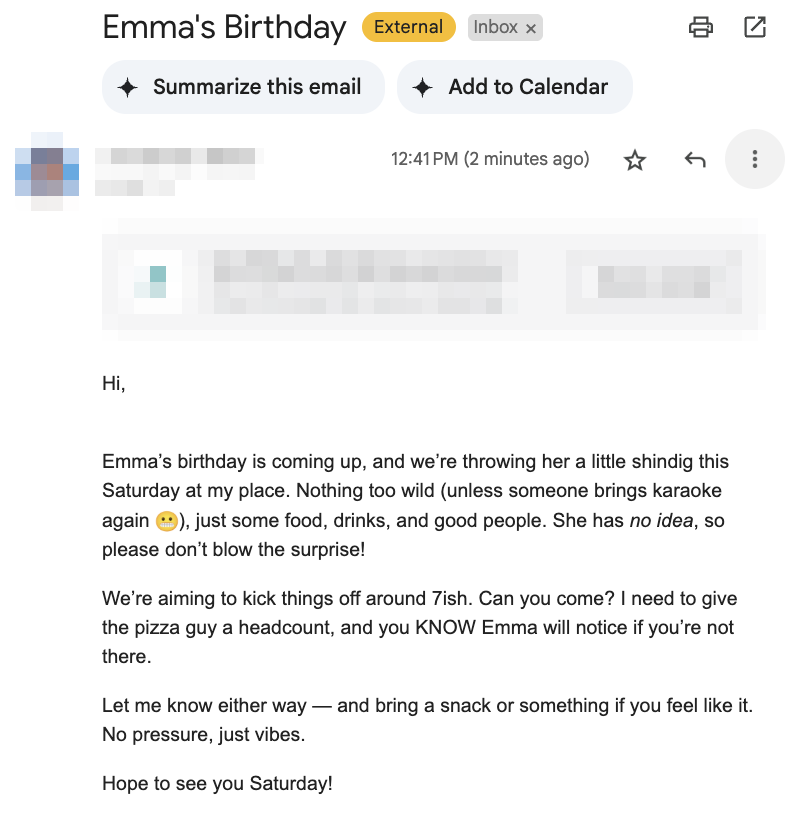
- Select Show Original.
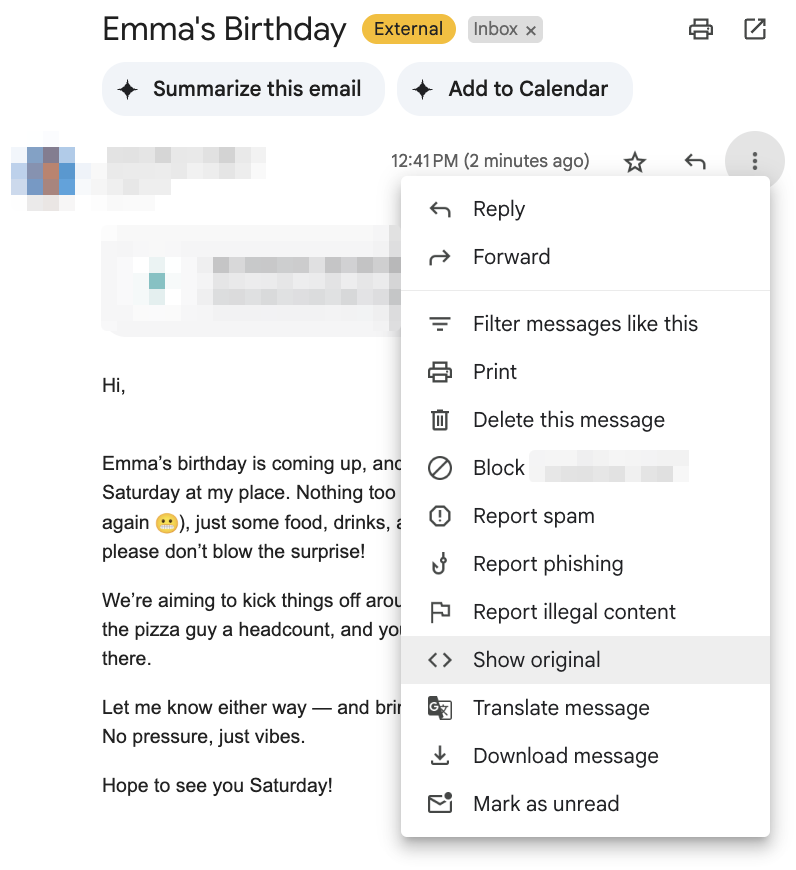
- A new tab will open with the full header and raw data of the message.
In Microsoft Outlook
- Open the email.
- Select the three horizontal dots in the upper right corner to see more actions.
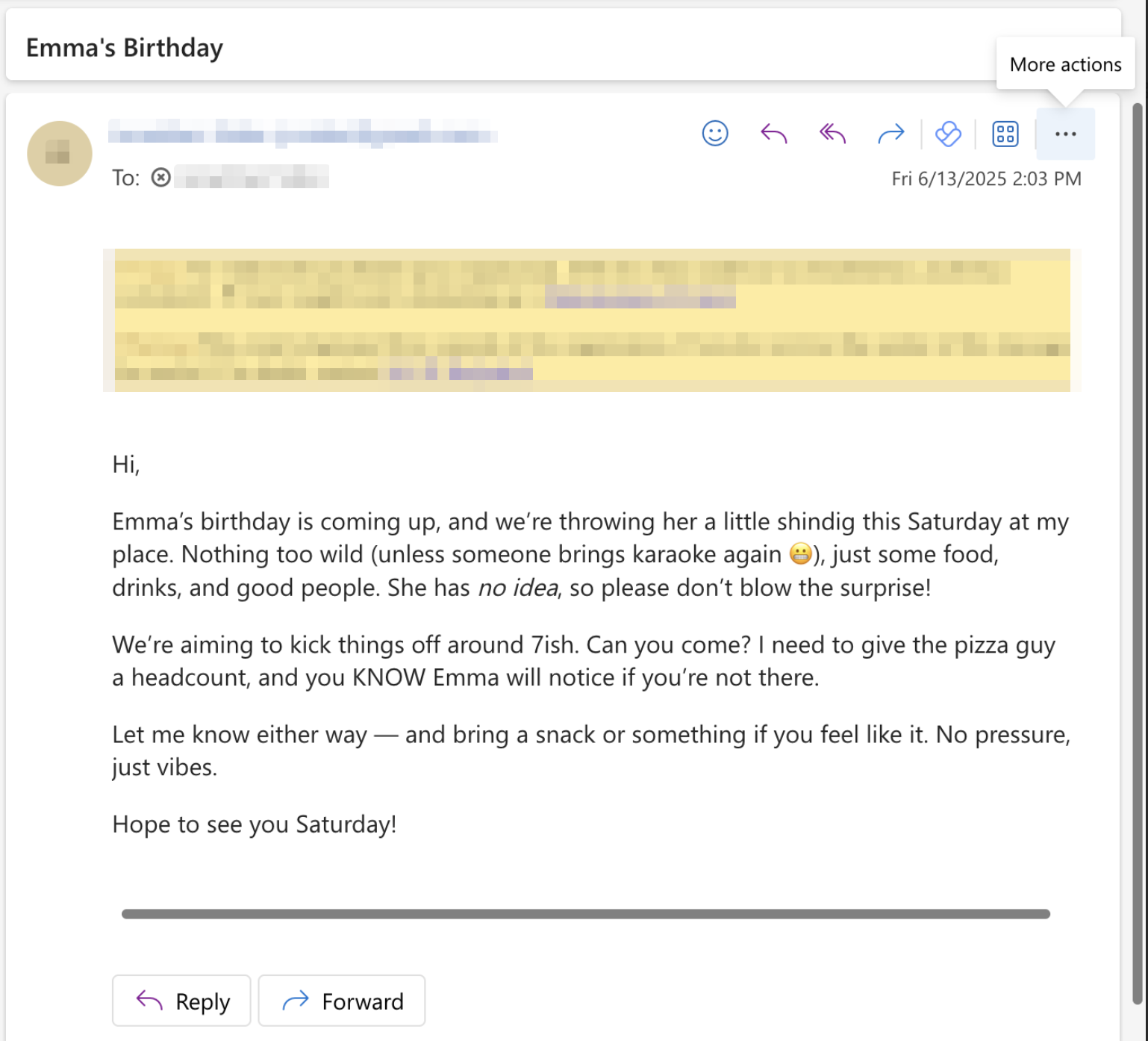
- Select View > View message details.
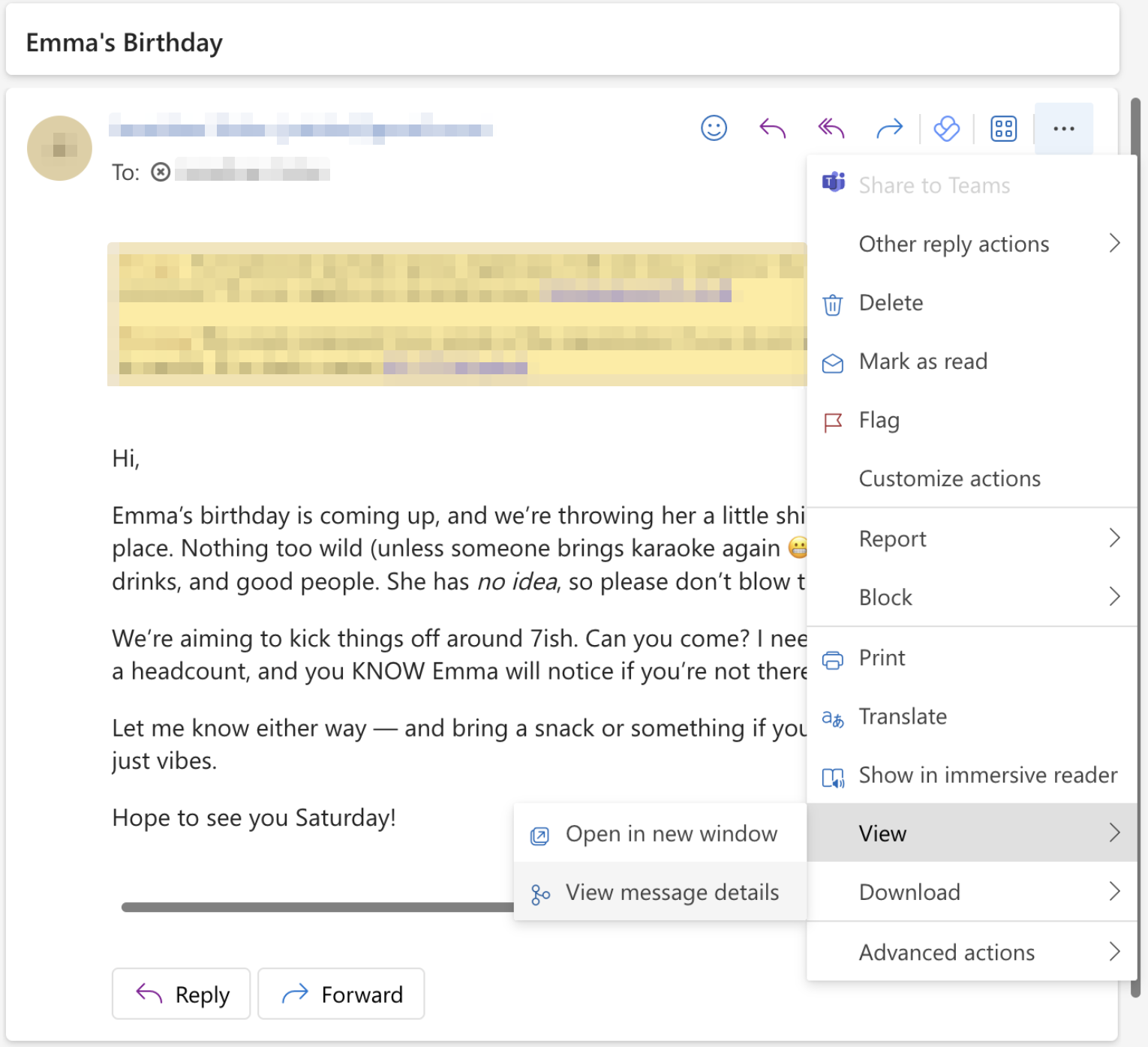
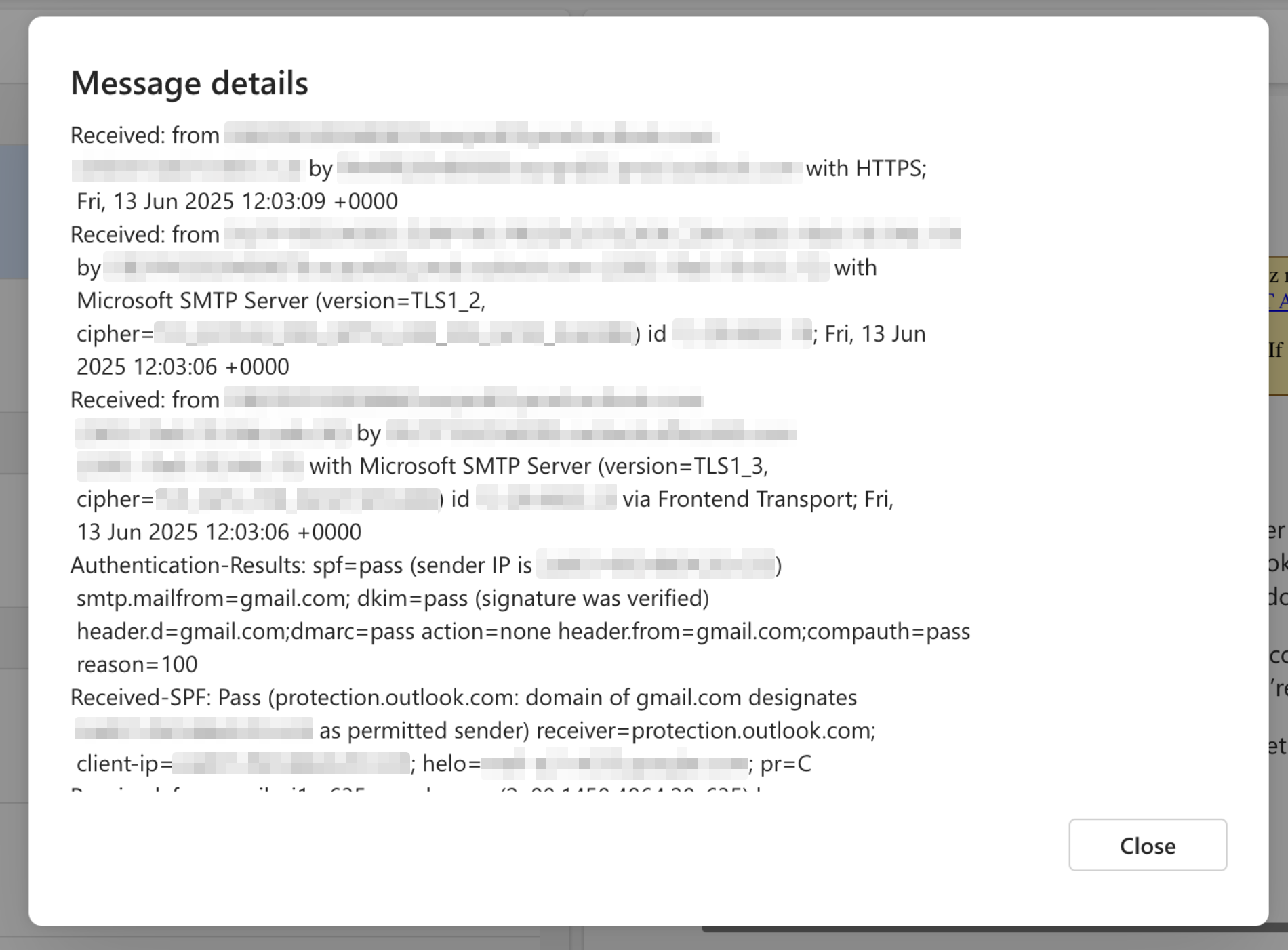
- A new window called Message Details will open, showing you the email header.
In Apple Mail
- Open the email.
- Select View in the top menu bar.
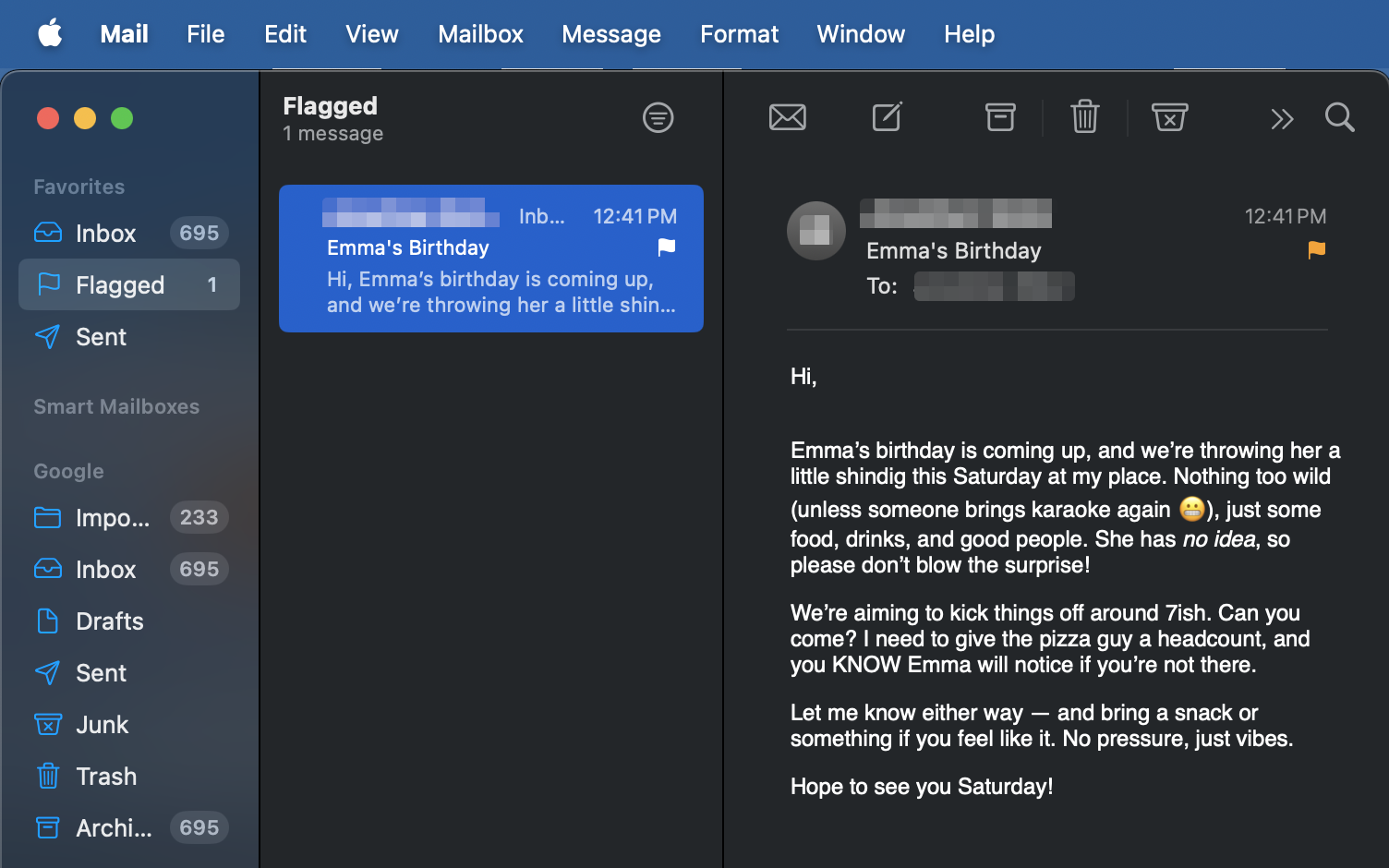
- Select Message > All headers.
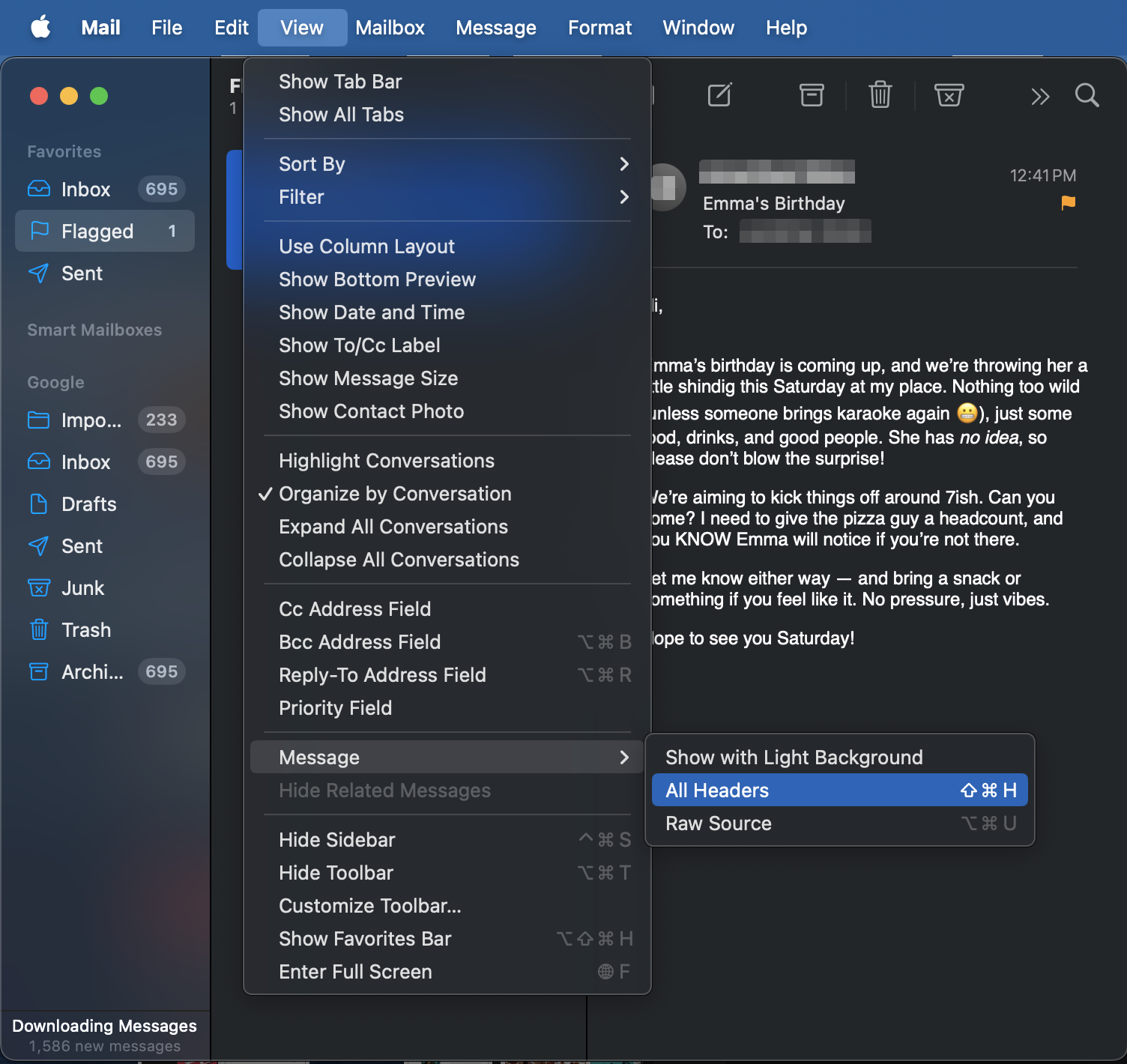
- Your message will be replaced by the email header.
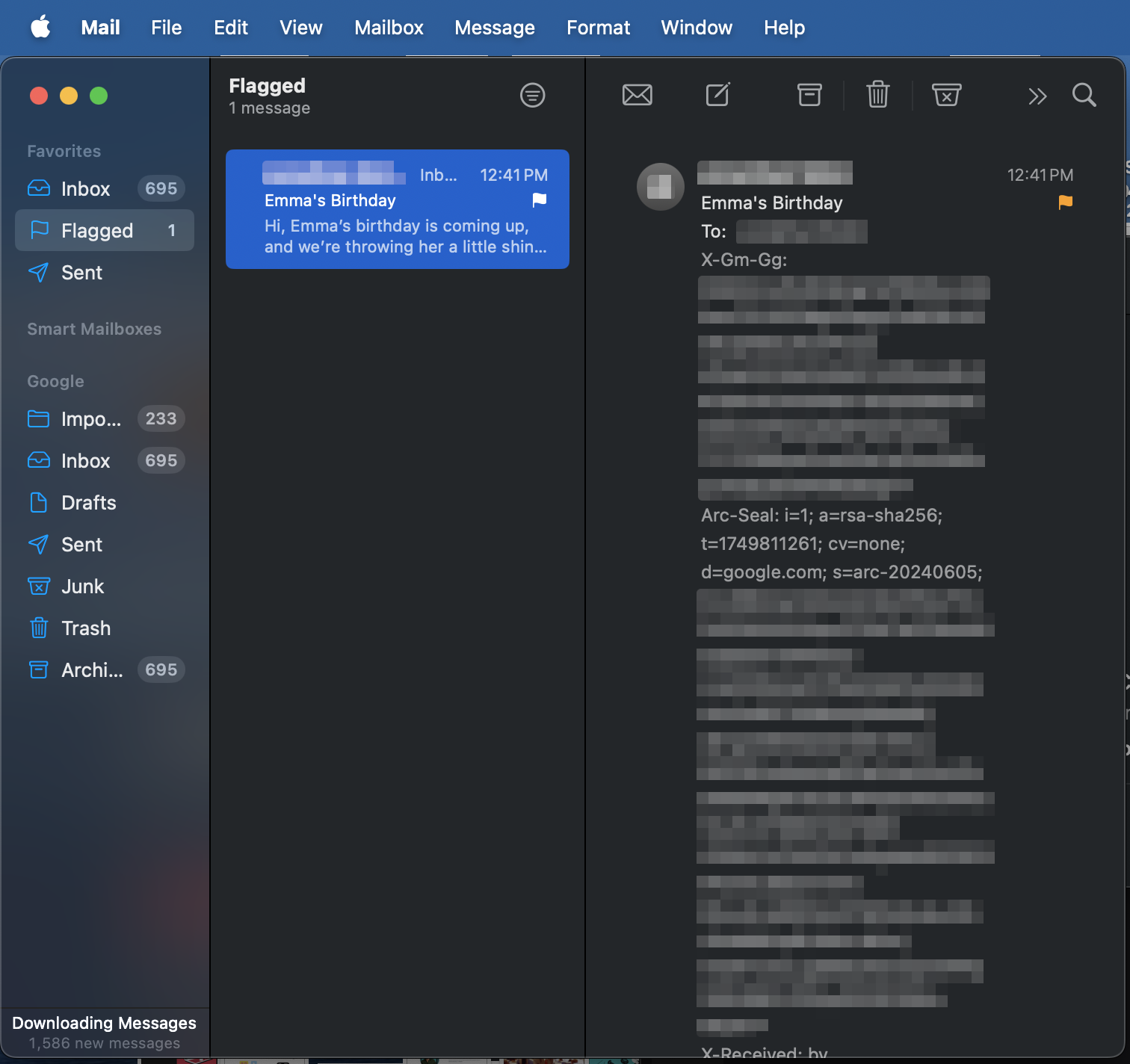
Are you using a different email provider? You should find similar options in a menu labeled More, Details, or Show Original.
How to find the Received from lines
Once you've opened the full email header, look for lines that start with Received. These lines show the path of the email through the mail servers, with the most recent server at the top and the original sender server at the bottom.

In these lines, you'll find an IP address that's connected to a mail server. Keep in mind that an email provider that values privacy may hide personal IP addresses and display server IPs instead.
How to interpret IP addresses
If you find an IP address in a Received from line, you can paste it into an IP lookup tool such as iplocation.net or whatismyipaddress.com.
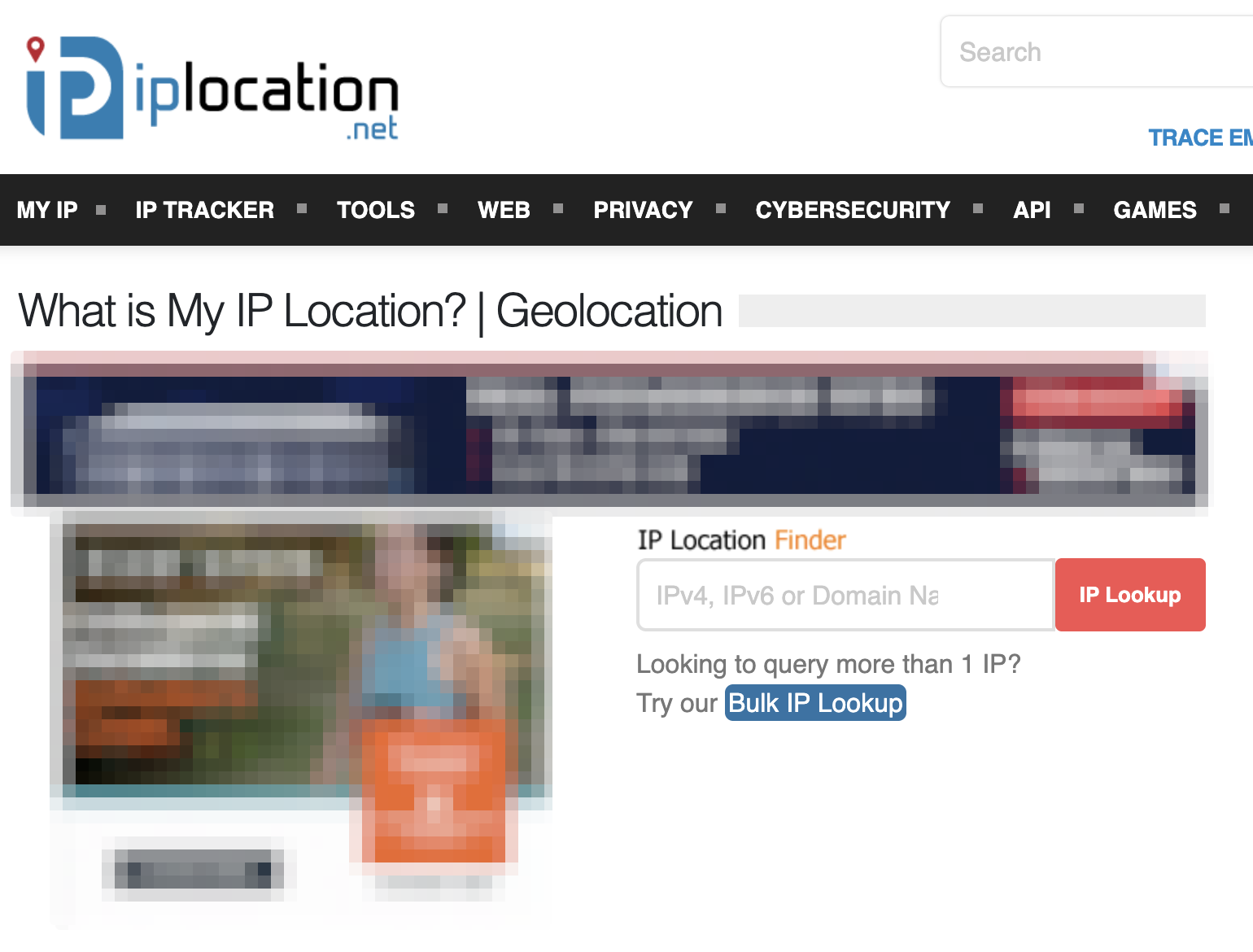
These tools can provide information such as the name of the Internet service provider and the city where the IP address originates. While this isn't as accurate as a GPS pin, it can help identify the region or organization behind the email.
Can you track the location of an email sender?
Yes, sometimes you can get a rough idea of an email sender's location, but it's rarely accurate. You can find the sender's IP address in the email header to determine the approximate geographic area. This is often limited to one city or region, based on the internet service provider.
It's already difficult to pinpoint a specific location, but things like VPNs (Virtual Private Networks) or cloud-based email services make it even harder. These tools hide or replace the sender's real IP address to make it look like the emails are coming from a completely different place.
Can I trace an email back to a person?
Yes, sometimes you can trace an email back to a person, but it's rarely easy – or realistic. Usually, this is only for law enforcement agencies looking for people who are involved in online scams or causing severe harassment.
In order to successfully trace an email back to a person, the following conditions must usually be met:
- The sender's IP address is visible: The IP address is visible in the email header and is not masked by a VPN or proxy server;
- The metadata of the email is correct: There are ways to change or spoof the header of your message, making you harder to track;
- The sender provides personal data: Metadata alone is not enough. It's easier to identify someone if they provide private details in the body of their message or use their personal email address;
- Die E-Mail ist nicht anonymisiert: Wenn jemand Tor oder andere Tools nutzt, um anonyme E-Mails zu versenden, ist es viel schwieriger, ihn aufzuspüren.
How to prevent your emails from being tracked
You can use the following strategies to prevent your emails from being traced.
Use a VPN
A VPN service like Surfshark VPN offers several protections when sending emails:
- Encrypted messages: A VPN encrypts all your internet traffic, including emails. This protects your content from interception and unauthorized access, especially on public networks;
- Obfuscated metadata: Details like email headers and timestamps are harder to see;
- More privacy: A VPN disguises your IP address and makes it harder for email providers and trackers to track your location or link activity to your device;
- Better access: People living under repressive governments can bypass local email restrictions;
- Less bandwidth limitation: Some ISPs lower internet speeds depending on the type of activity. With a VPN, you can bypass these restrictions and use your email more efficiently when there is a lot of traffic.
Disable automatic loading of images
Disabling automatic image loading in your email client can prevent trackers from being enabled.
These pixels can notify the sender when an email is opened, revealing your physical location and other data. By disabling auto-loading, these trackers will not be able to collect data about you.
Exclude personal data
Don't include personal information in your emails, and avoid signing emails with your full name, phone number, or address unless necessary.
Private information and other metadata can be extracted from email headers and used to trace an email back to you.
Use encrypted email services
With email services that encrypt your messages, you have a lot more privacy in your emails.
These providers often block tracking pixels and ensure that you can send secure emails that only certain people can read. Many encrypted services are located in countries with strict data protection laws, which further protects users' data and ensures the confidentiality of messages.
An encrypted online service minimizes the risk of unauthorized access to your private information.
Use an alternate email account
By setting up a second email address that isn't linked to your identity, you can avoid exposing your regular email address to advertisers, scammers, or other trackers.
You can use an alternative email service – like Surfshark's Alternative ID – for less important messages to keep your main email account private and secure.
The most important thing: Protect emails from tracking with the right tools
If you want to protect your privacy online, you need to know how email tracking works. With tools like a VPN and an alternate email address, you can significantly increase the security of your emails.
Luckily, both tools are included with every Surfshark subscription. With Surfshark One, you also get antivirus software and data leak alerts to keep you safe.
With Surfshark One, you can send your emails securely and much more.
Frequently Asked Questions
Can a fake email be traced back to me?
Yes, even fake or anonymous emails can be traced back to you if you're not careful.
Using a spoofed email address doesn't change the internet headers in your message, so others can still find your IP address or other identifiable data. To protect your privacy, you'll still need to use something like a VPN or proxy service to mask your IP address and avoid sharing personal information.
Can I find out who is behind an email address?
Yes, it's technically possible to find out who is using an email address, but it's difficult and not always successful. The sender still has to reveal his real name, connect his email address to a social media account or leave other digital traces.
While you can find some information with email tracking tools, people who use services like VPNs to protect their privacy are much harder to identify.
How can I trace the location of an email's IP address?
You can trace the IP of an email by looking at the full header and Received lines, which sometimes show the sender's IP. Once you have the IP address, tools like IP lookup services can determine the sender's approximate location.
However, keep in mind that many modern email services like Gmail hide the sender's public IP address to protect user privacy.
Can't an email be traced?
There are hardly any emails that cannot be traced. While tools like VPNs or anonymous emails can significantly reduce the chances of being traced, authorities such as law enforcement can still find clues through further investigation of your metadata.
Posting Komentar untuk "Can emails be traced? Your guide to more privacy on the Internet"